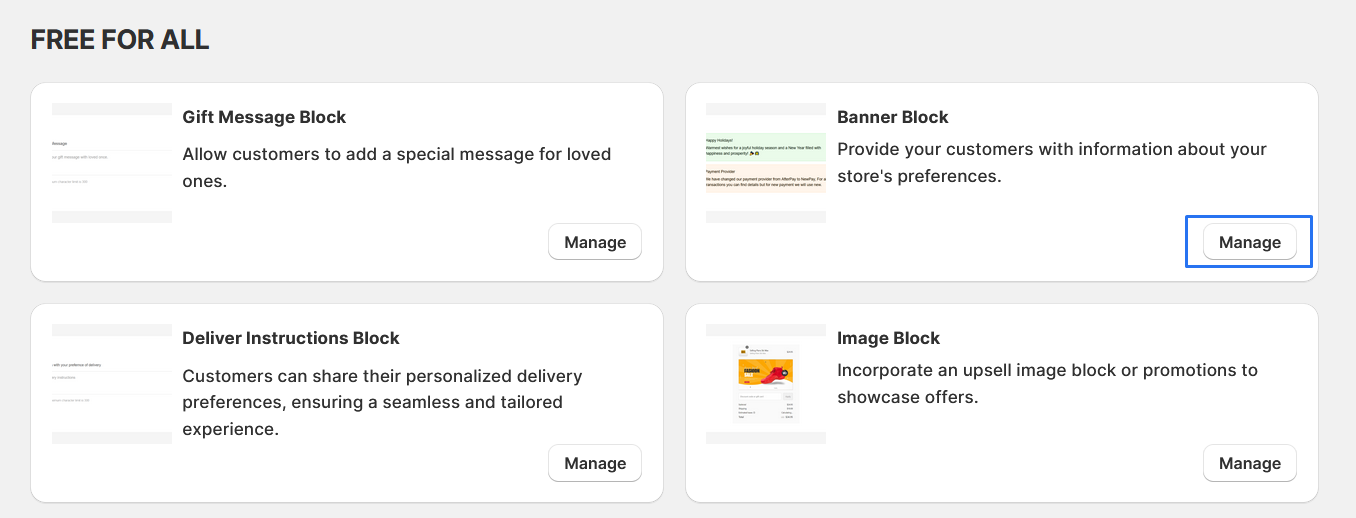
Banner Block
Provide your customers with information about your store's preferences.
1. Go to shopify Admin panel
Click on apps => Spring Checkout Customization
2. Click on "Manage" button to add Banner Block widget
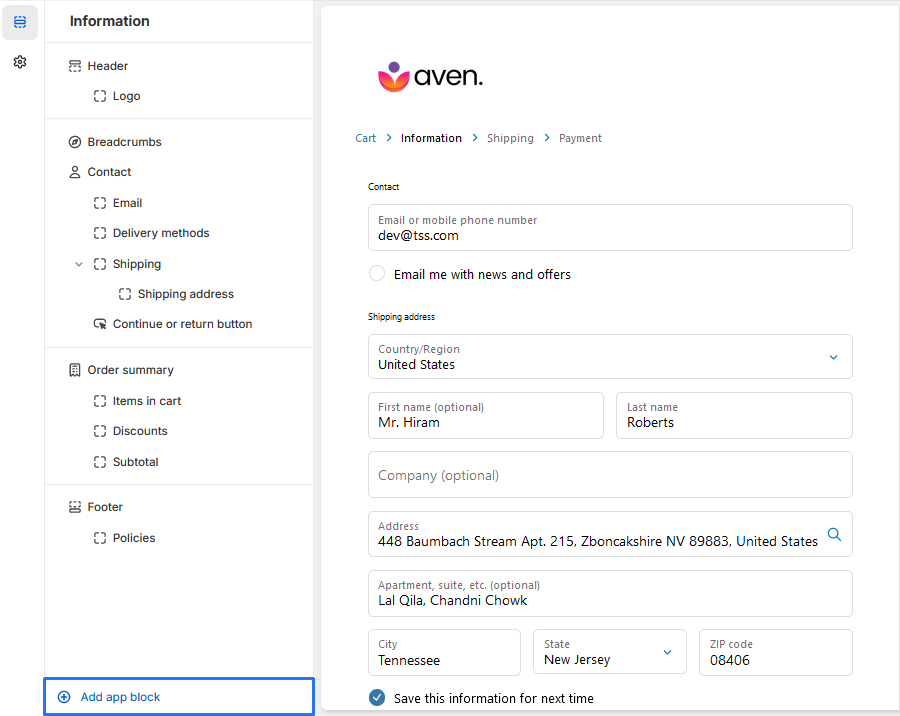
3. To "+ Add Banner Block" , simply click on the "Add App Block" button to proceed with adding the Banner Block.
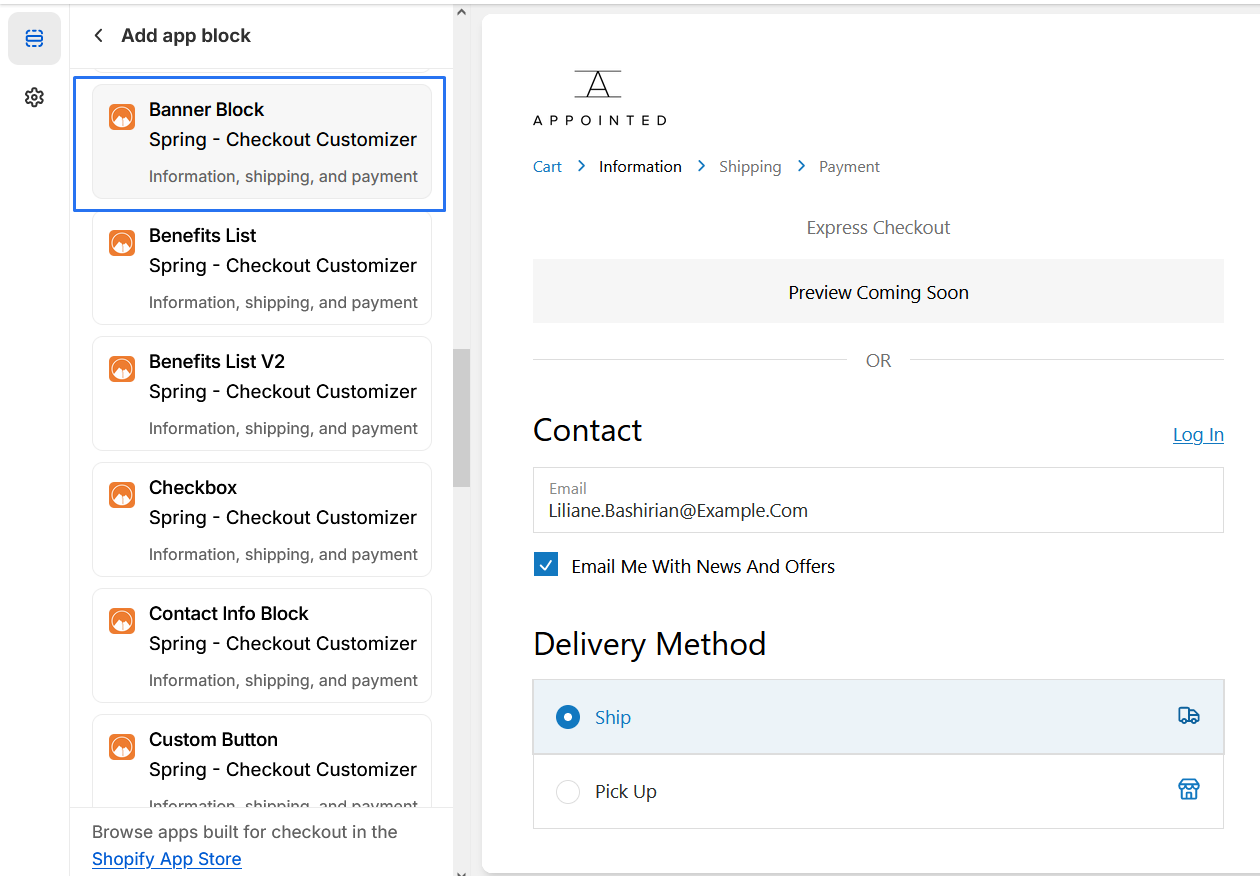
4. Click on "Banner block" from the list to add the Banner Block extensions
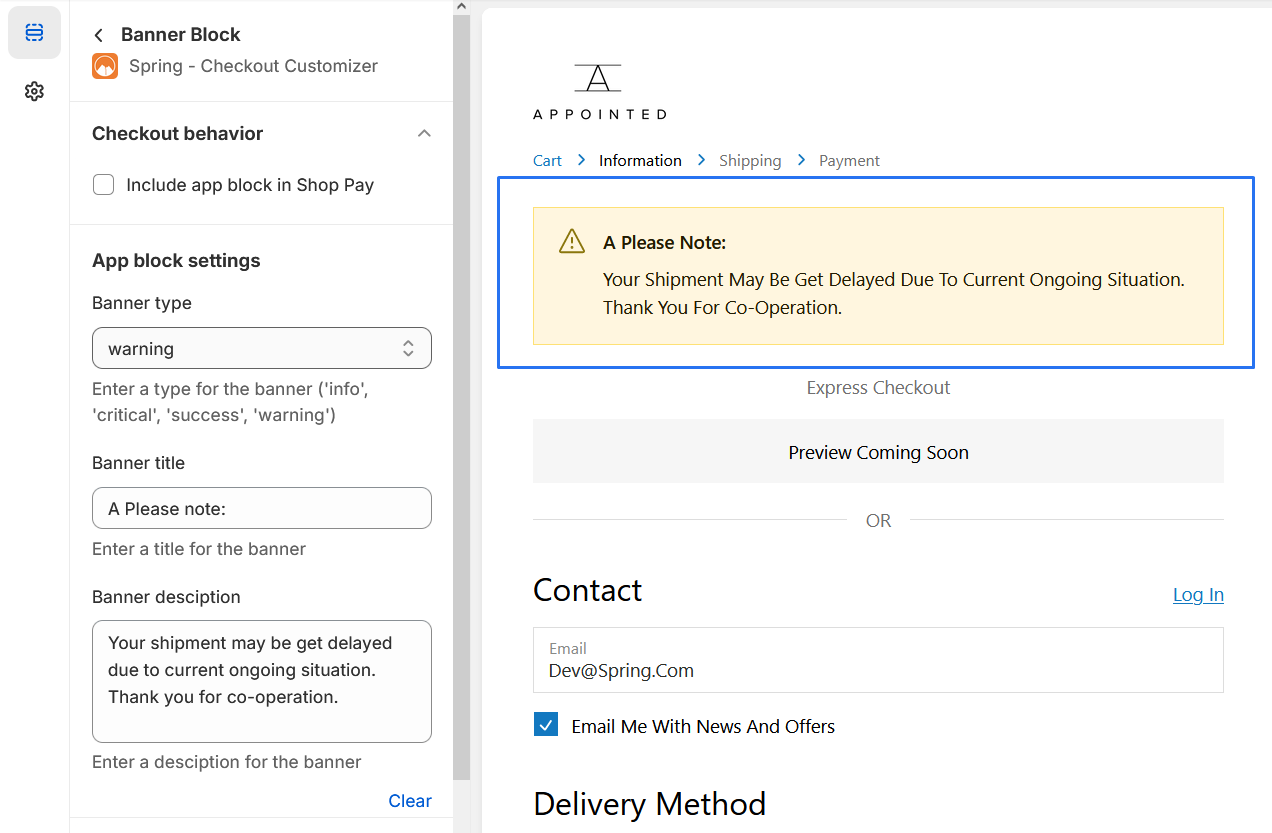
5. Banner Block extention
We provide bellow settings
-
1. Choose the "Banner Type"
Select the type of banner you want to display from the following options: info, critical , success, warning . Enter the chosen type in the "Banner Type" field.
-
2. Enter the "Banner Title" : Enter a title for the banner in the "Banner Title" field. For example, "Please note:".
-
3. Enter the "Banner Description" : Enter a description for the banner in the "Banner Description" field. For example, "Your shipment may be get delayed due to the current ongoing situation. Thank you for co-operation."
you should be able to "preview" the extension to ensure it appears as desired