Benefit List v2 Block
Showcase your standout features or key points on your checkout process.
1. Go to shopify Admin panel
Click on apps => Spring Checkout Customization
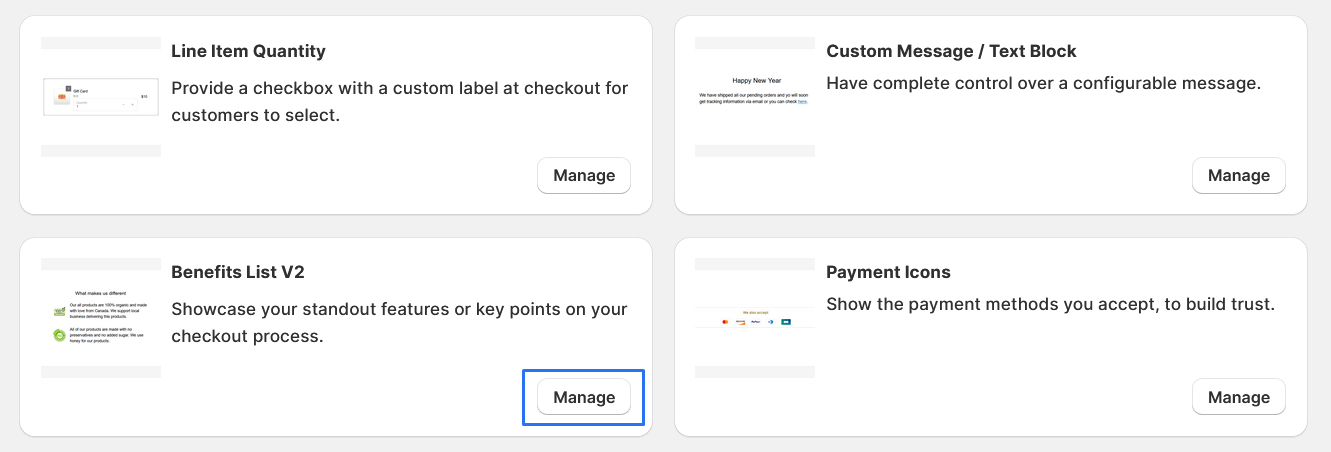
2. Go to Benifit List v2 Block
Click on "Manage" to add Benifit List v2 Block widget
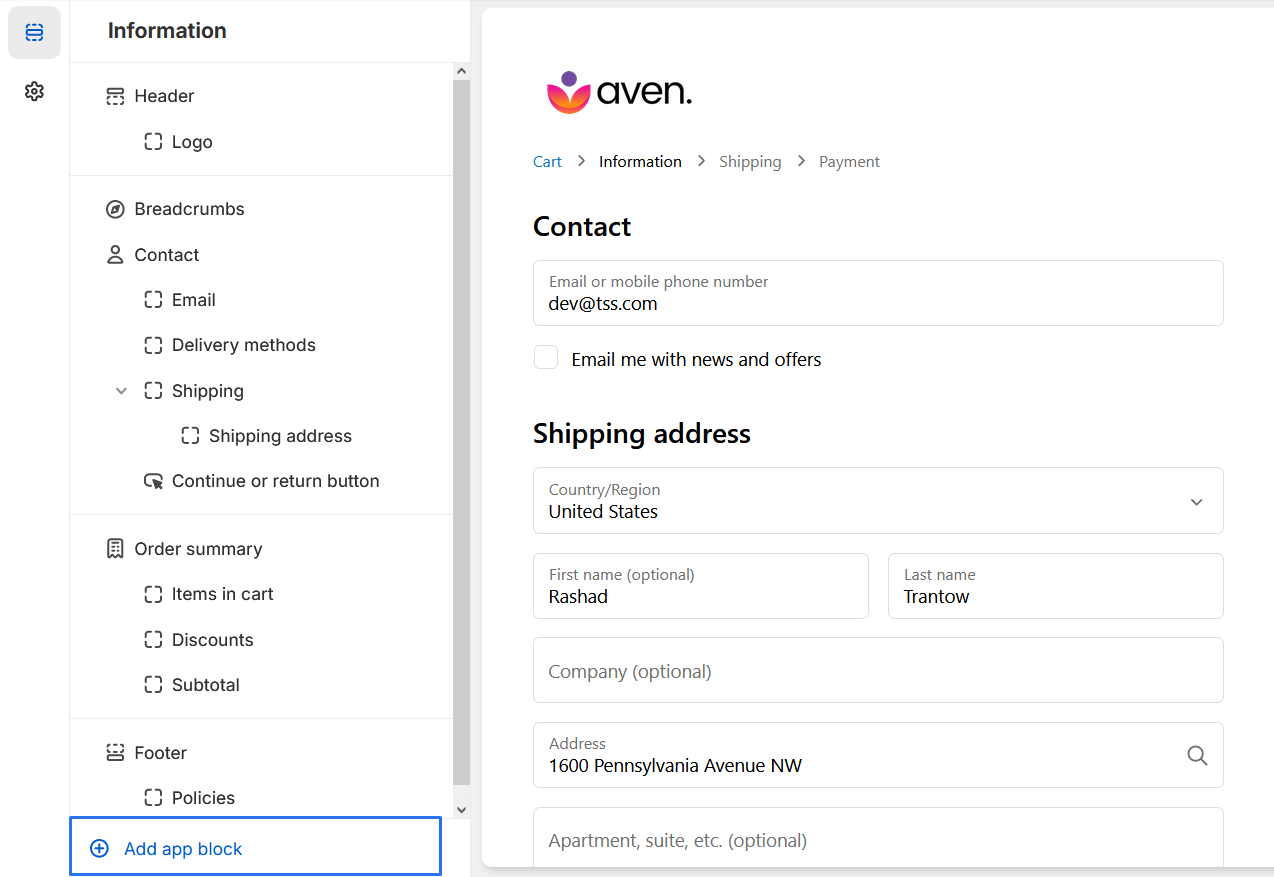
3. Clicking the "Add App Block" button, you will be presented with a list of available app blocks.
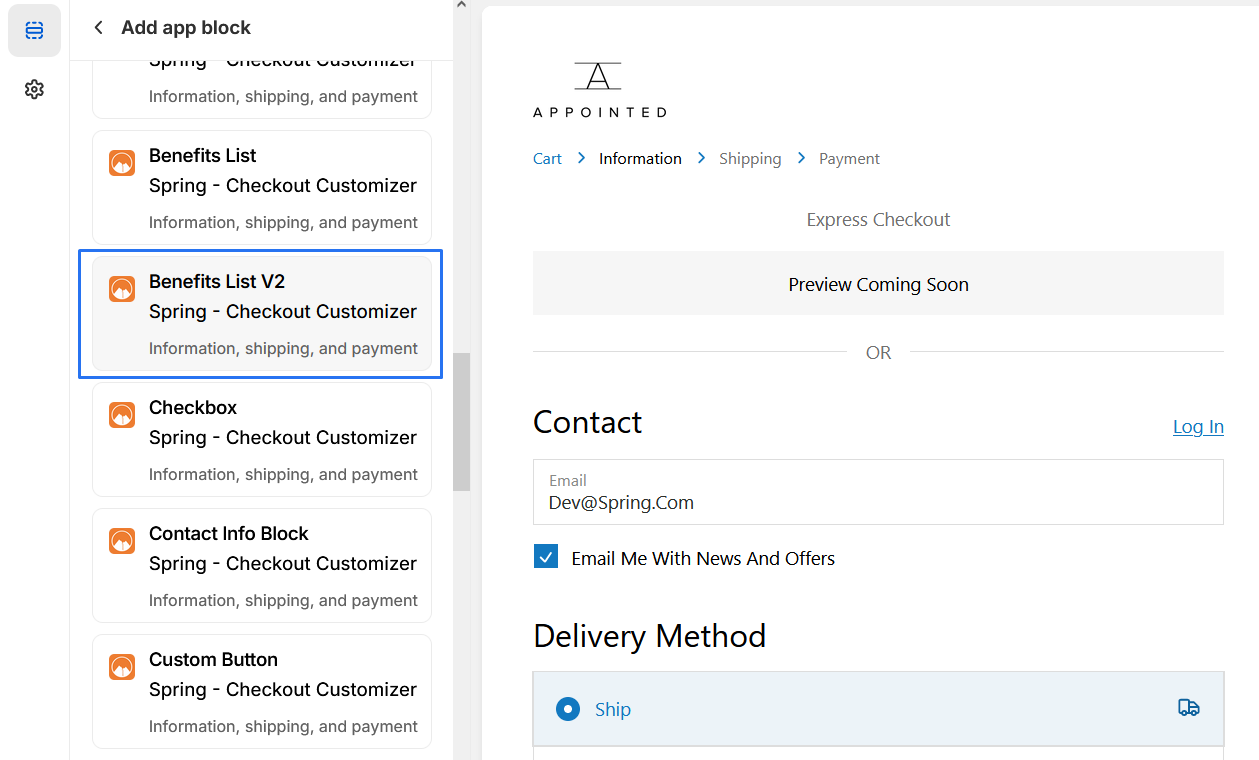
4 .Scroll through the list and select the "Benifit List v2" app block.
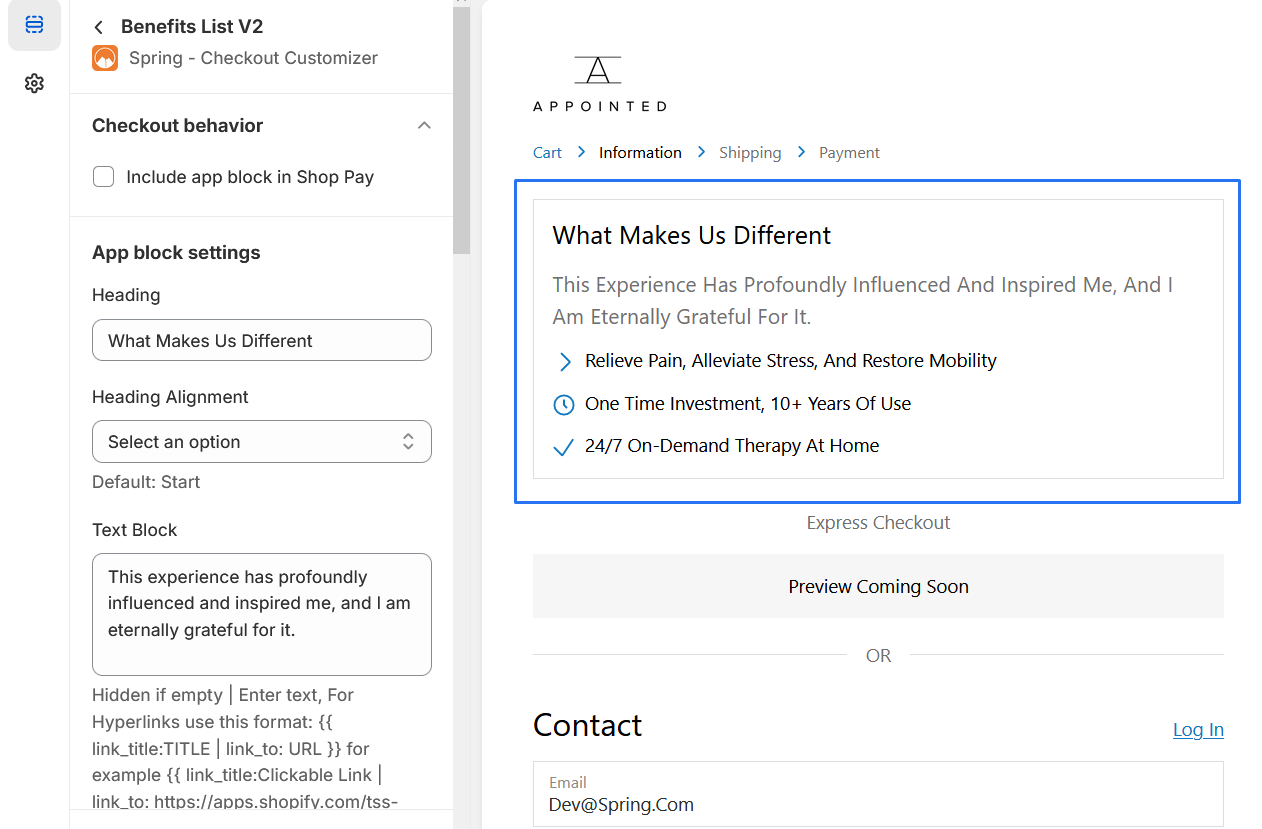
5. Add a "Heading","Text Block","List Item #1 Icon",List Item #1
6. Should be able to "preview" the extension to ensure it appears as desired.