Trust Badges
Build customer trust with configurable trust badges.
1. Go to shopify Admin panel
Click on apps => Spring Checkout Customization
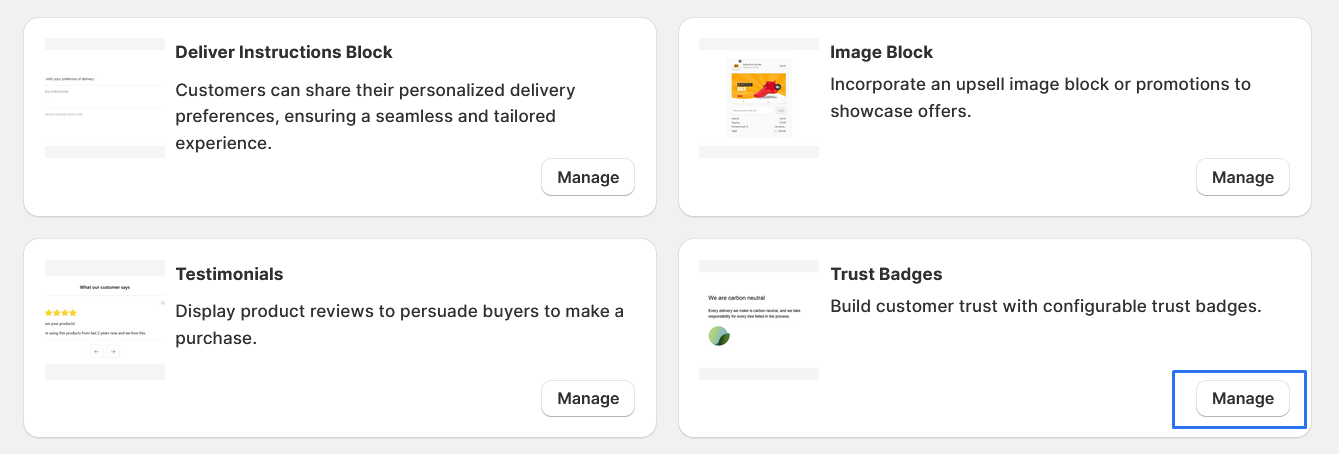
2. Click on "Manage" button to add Trust Badges widget
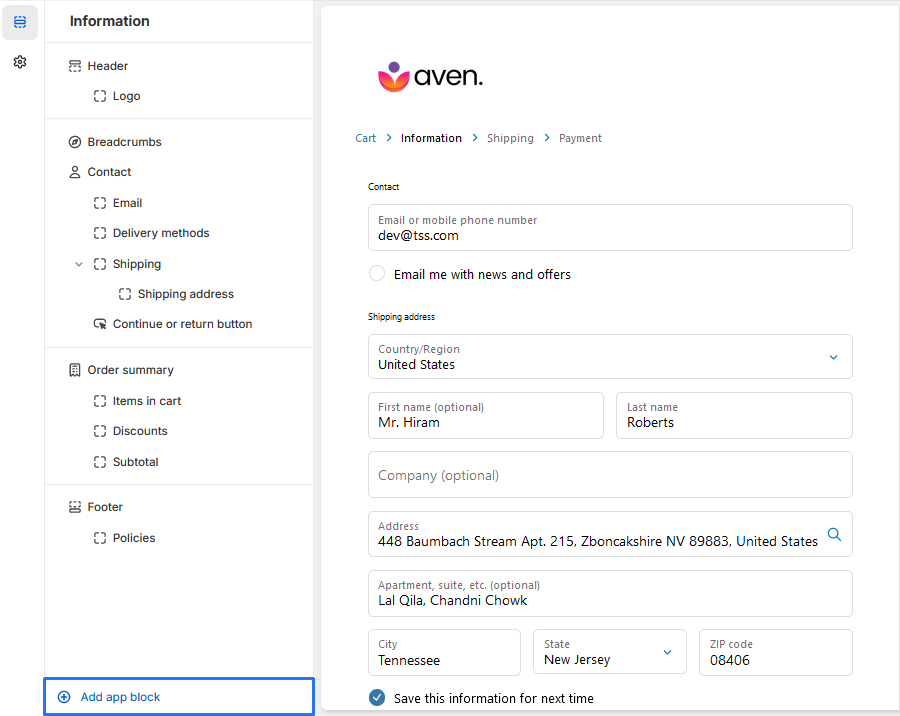
3. To Add Trust Badges, simply click on the "Add App Block" button and follow the furter process
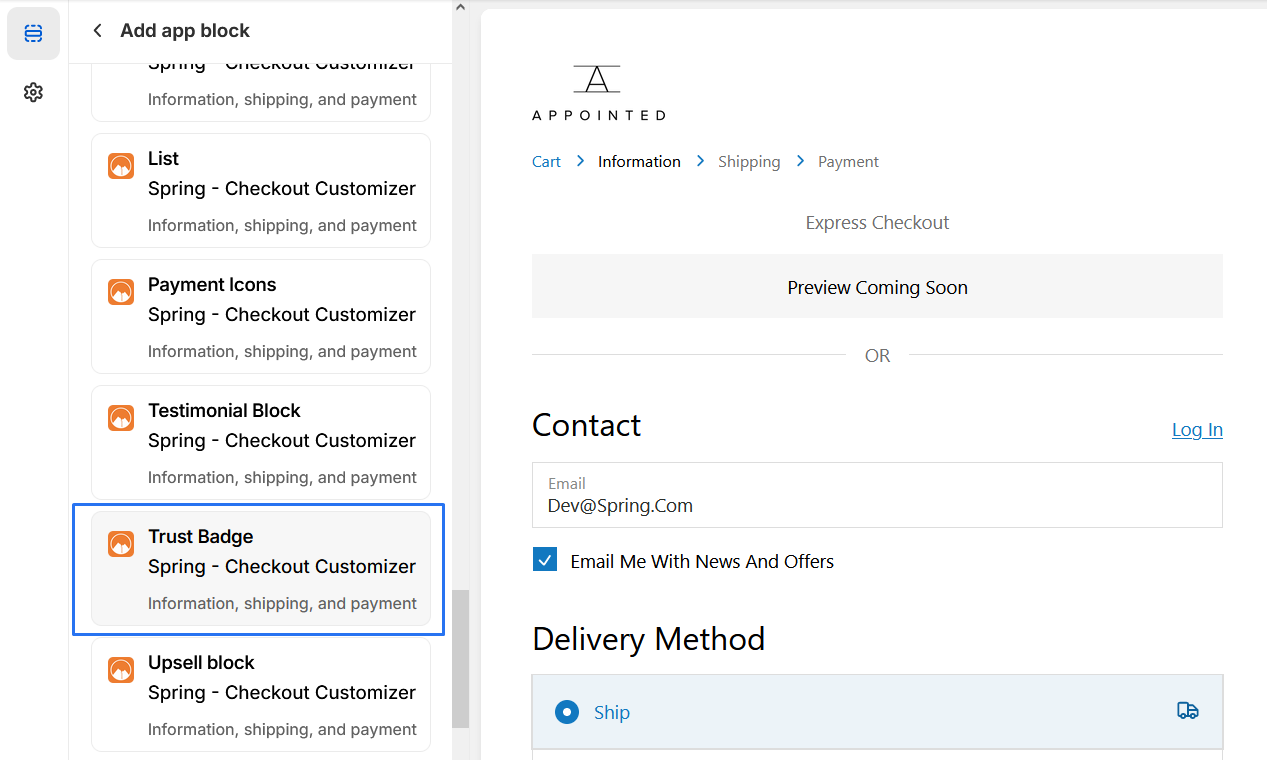
4. Click on Trust Badges from the list to add the Trust Badges extensions
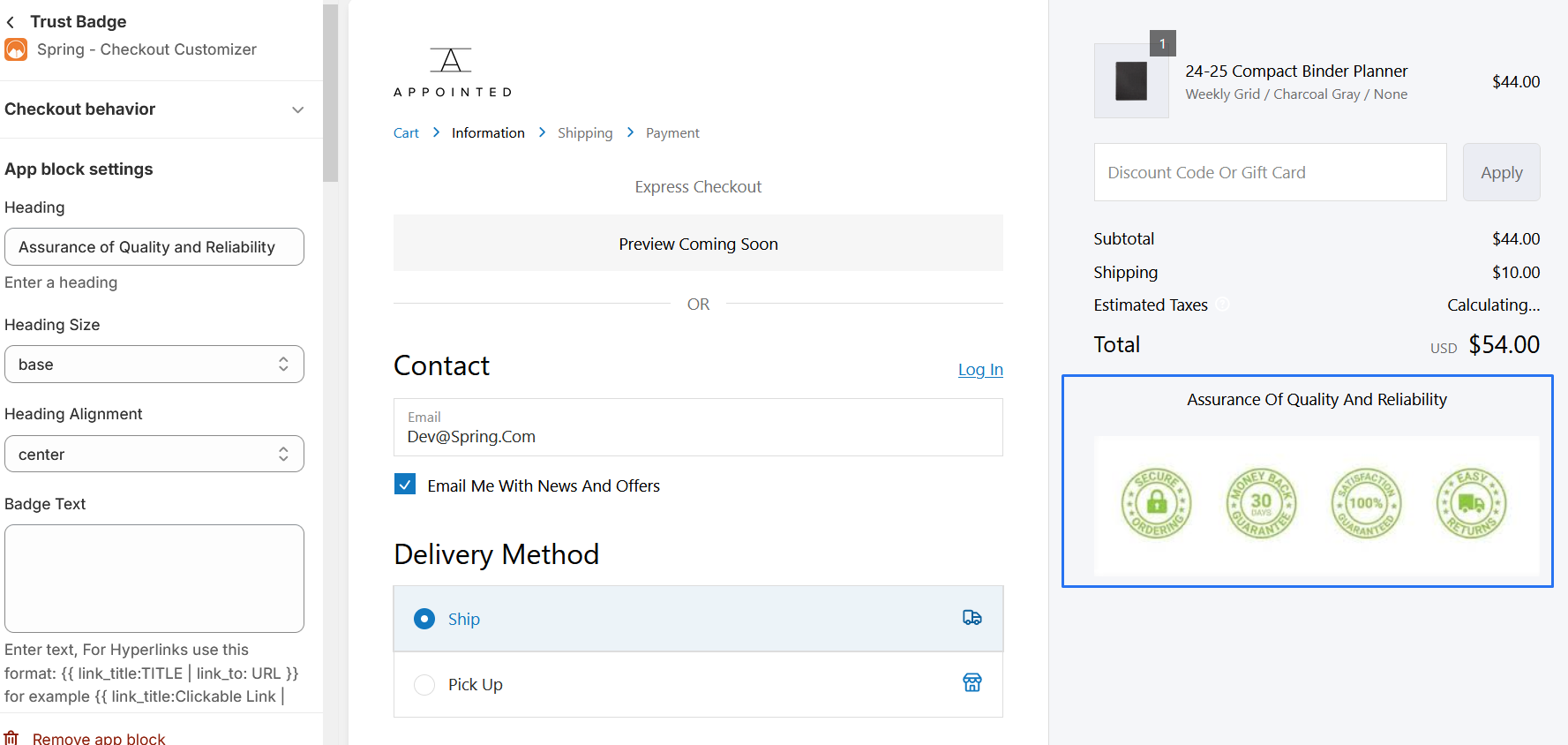
5. Trust Badges
-
1. Heading: Heading of the Trust Badges
-
2. Heading Size: provides options for setting the size of the heading, including: Extra Large, Extra Small , Large , Small .
-
3. Heading Alignment: offers options for aligning the heading, including: Center , End , Start.
-
4. Badge Text : Badge Text of the Trust Badges
-
5. Badge Alignment start, end, or center
-
6. Badge Size : Size of an Image
-
7. Badge #1 Custom Image: To add image just add your image url to App block settings Image URL.
8. When you click on the image, it will direct you according to the URL specified in the 'Redirection Link' section.
* We provide bellow settings