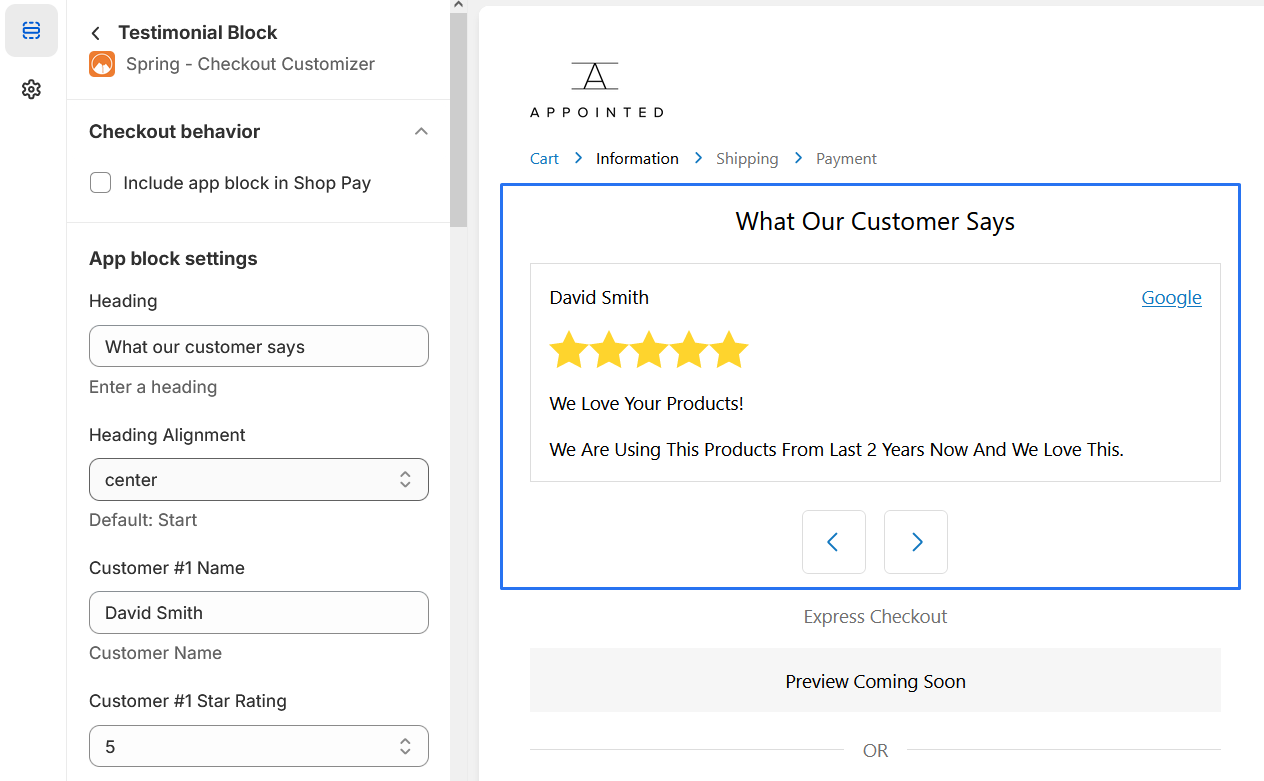
Testimonials Block
Display product reviews to persuade buyers to make a purchase.
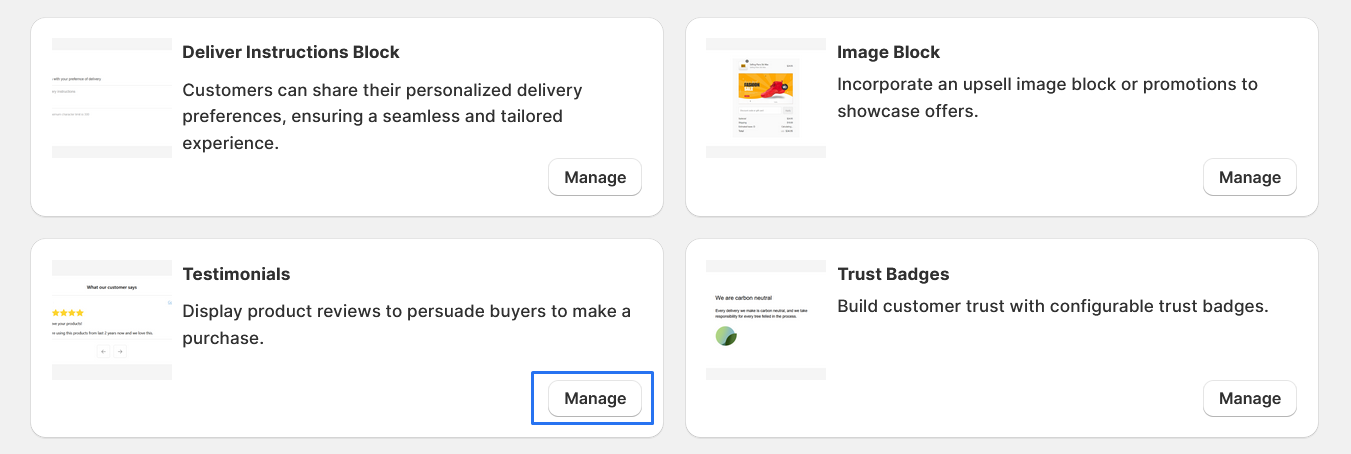
1. Go to shopify Admin panel
Click on apps => Spring Checkout Customization
2. Go to Testimonials Block
Click on "Manage" to add Testimonials Block widget
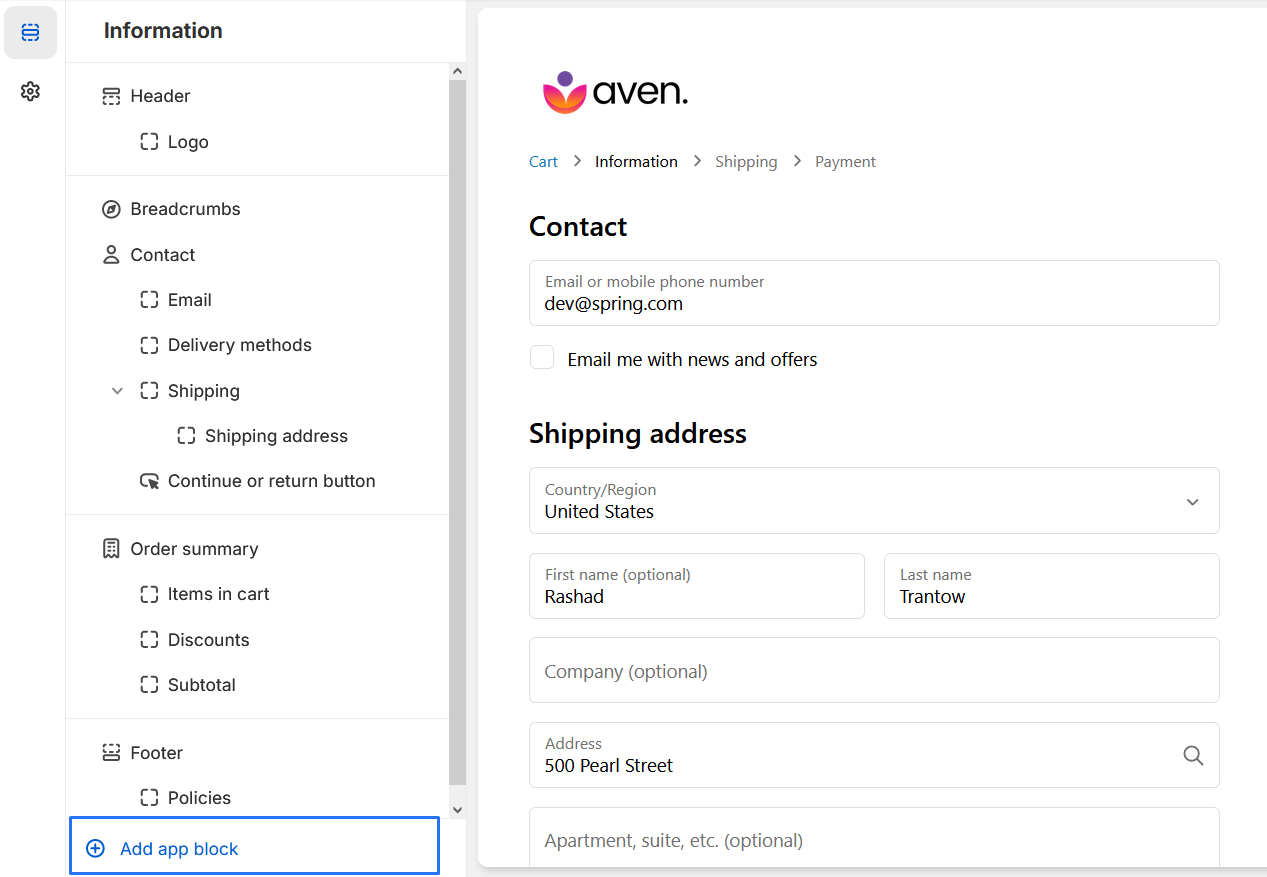
3. Clicking the "Add App Block" button, you will be presented with a list of available app blocks.
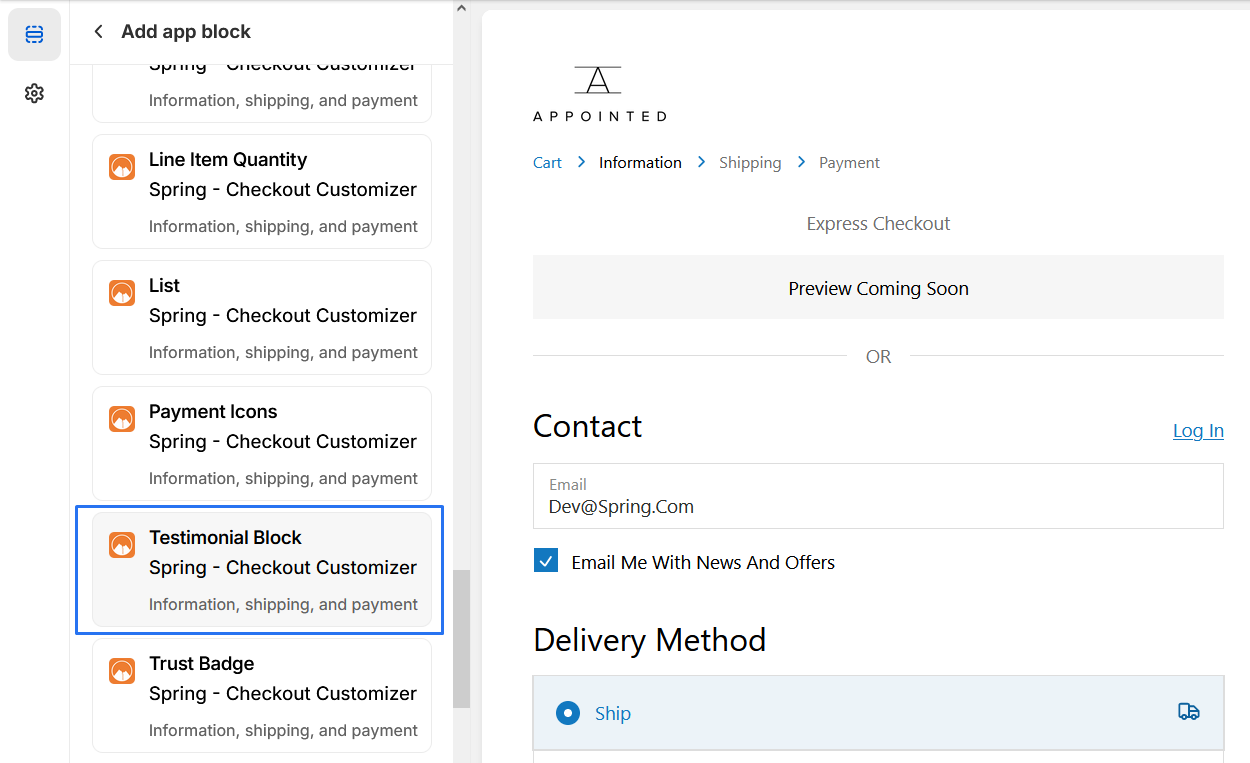
4. Scroll through the list and select the "Testimonials"app block.
5. Add a "Heading","Heading Alignment","Customer #1 Name","Customer #1 Star Rating","Customer #1 Review Title", "Customer #1 Review Content","Customer #1 Review From (Optional)","Customer #1 Review From link (Optional)".
6. Should be able to "preview" the extension to ensure it appears as desired