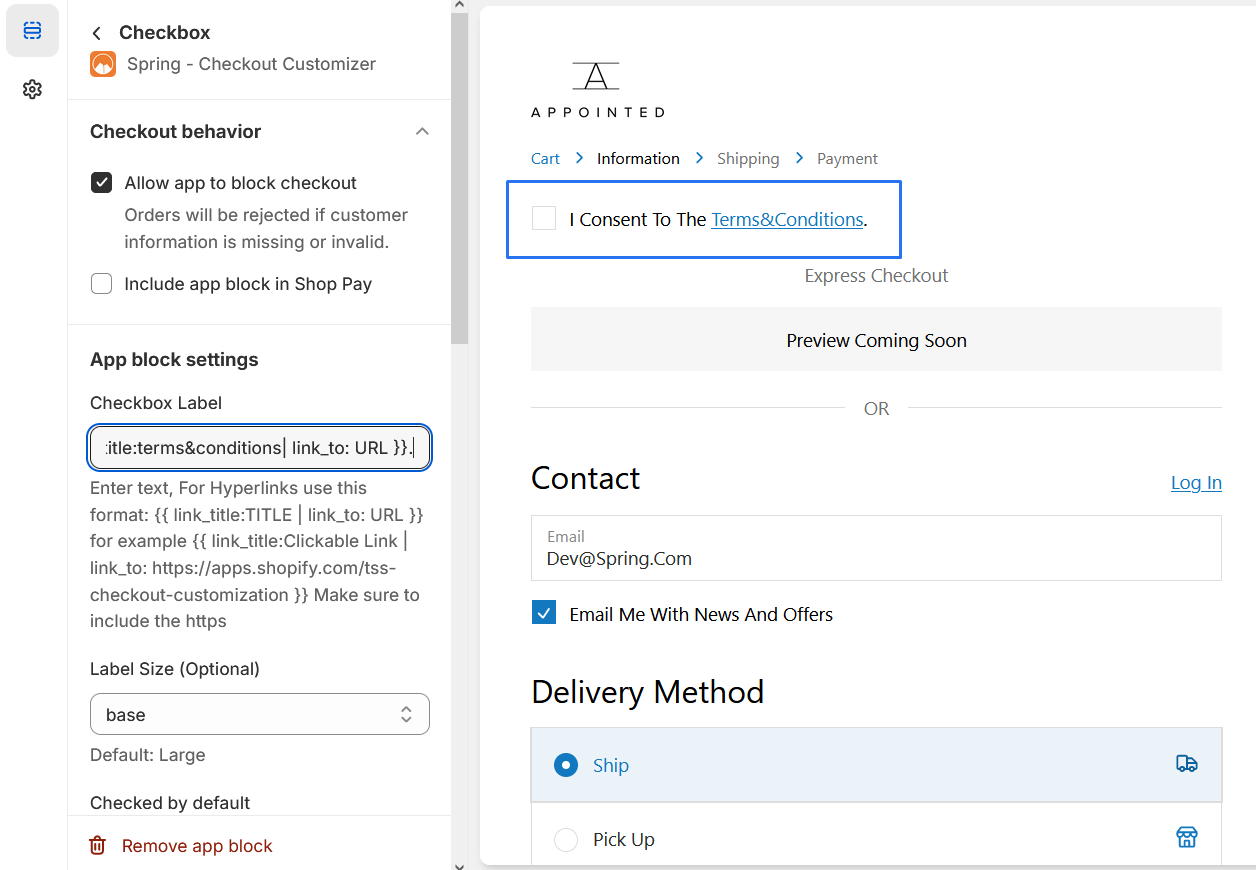
Custom Checkbox Block
Provide a checkbox with a custom label at checkout for customers to select.
1. Go to shopify Admin panel
Click on apps => Spring Checkout Customization
2. Click on "Manage" button to add Custom Checkbox Block widget
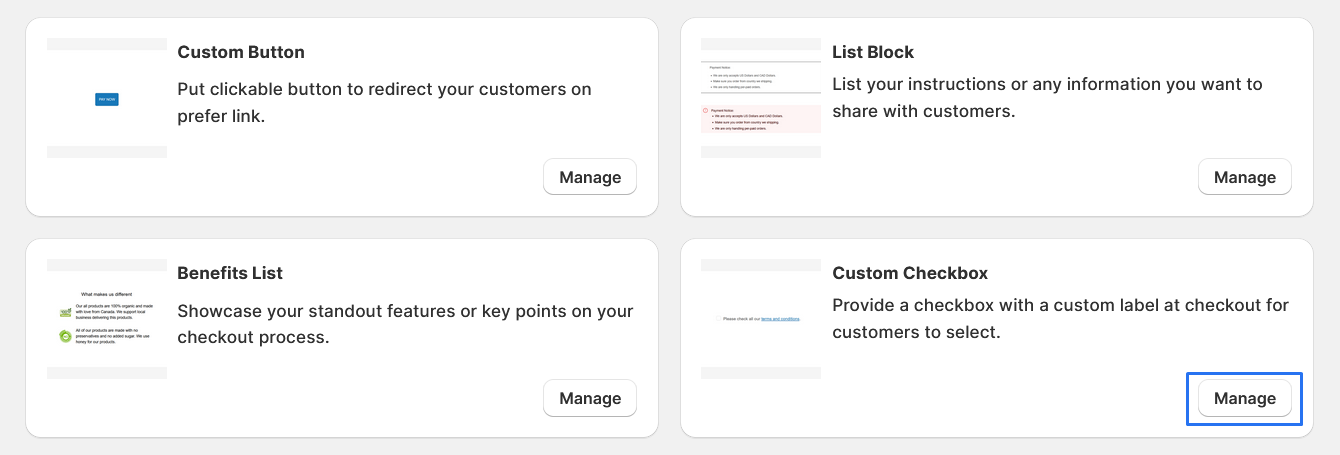
3. To Add Custom Checkbox Block, simply click on the "Add App Block" button and follow the furter process
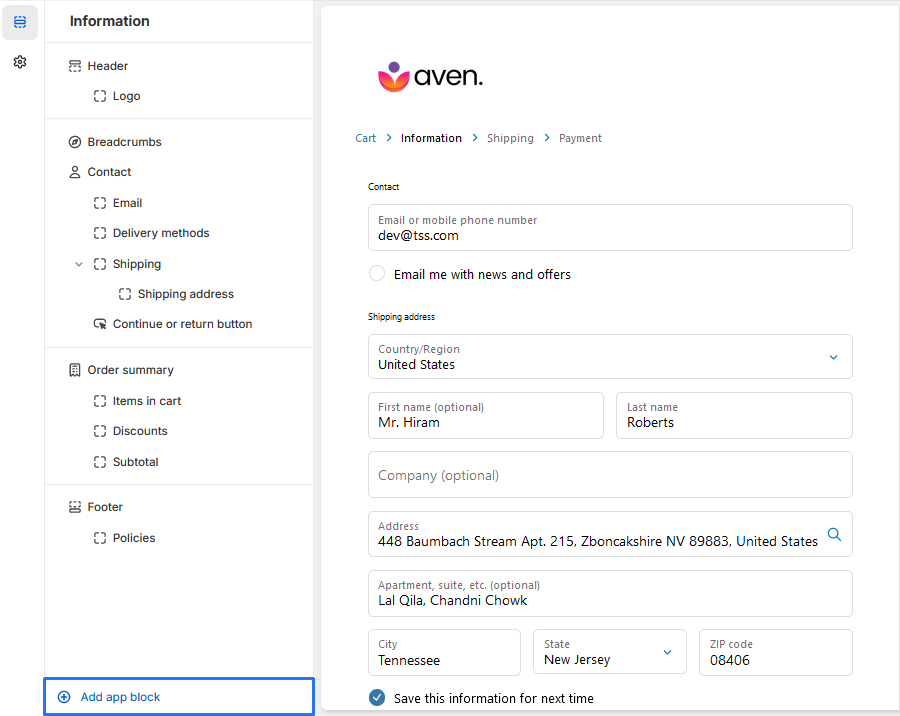
4. Click on "Custom Checkbox Block" from the list to add the Custom Checkbox Block extensions
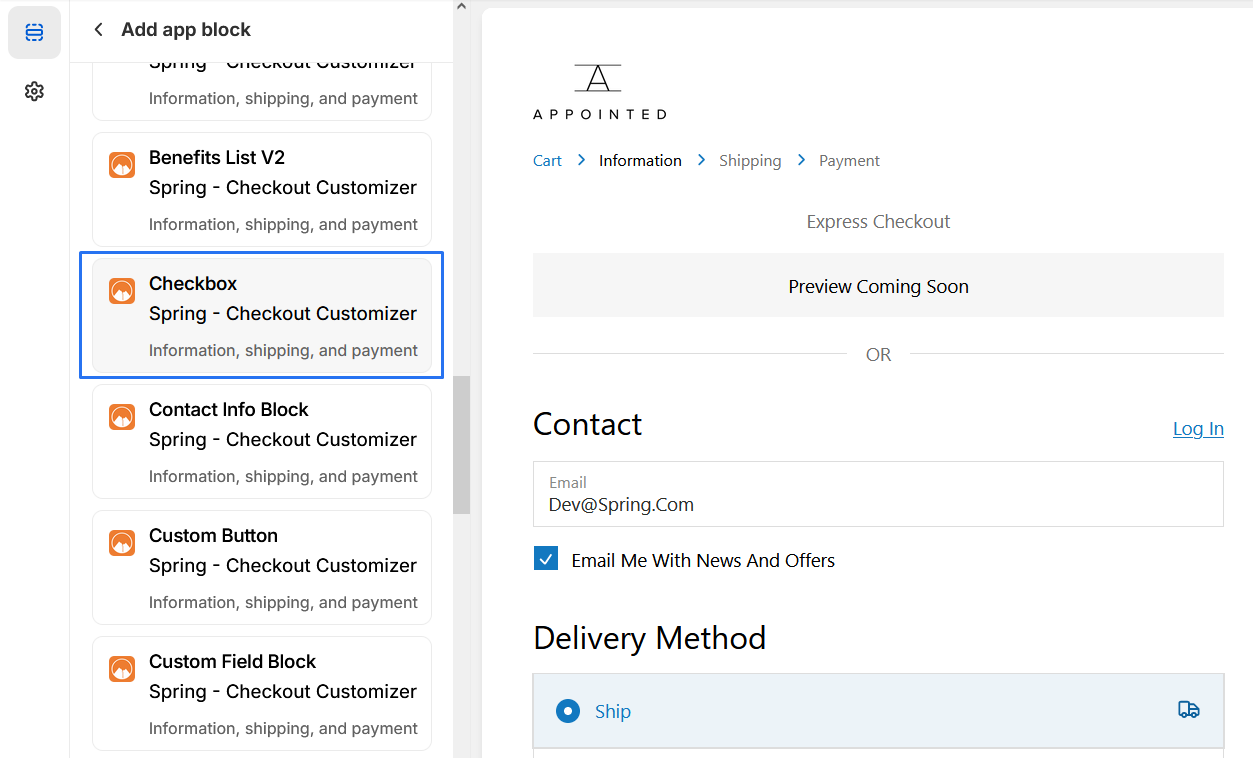
5. Custom Checkbox Block
* We provide bellow settings
1. Checkbox Label: This is where you can enter text for the checkbox
label. For hyperlinks, you can use the format
{{link_title:TITLE | link_to: URL}}. For example, {{link_title:Clickable
Link | link_to:
https://apps.shopify.com/tss-checkout-customization}}.
For Example :I Consent to the{{ link_title: terms&conditions | link_to:
URL
}}
2. Checkbox value store into order notes: This is where you can enter a
value that will be stored in the order notes if the
checkbox is checked.
3. Label Size (Optional): This is where you can set the size of the
label. The default size is Large, but you can also
choose extraSmall.
4. Checked by default: This is where you can choose whether the checkbox
is checked by default or not.