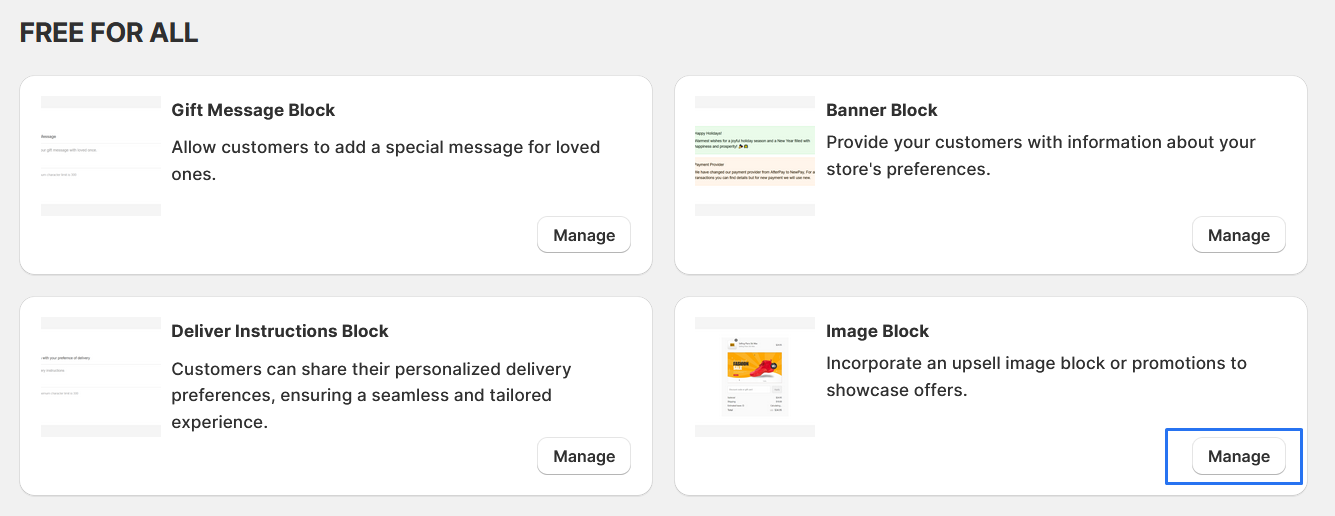
Image Block
Incorporate an upsell image block or promotions to showcase offers.
1. Go to shopify Admin panel
Click on apps => Spring Checkout Customization
2. Click on "Manage" button to add Image Block widget
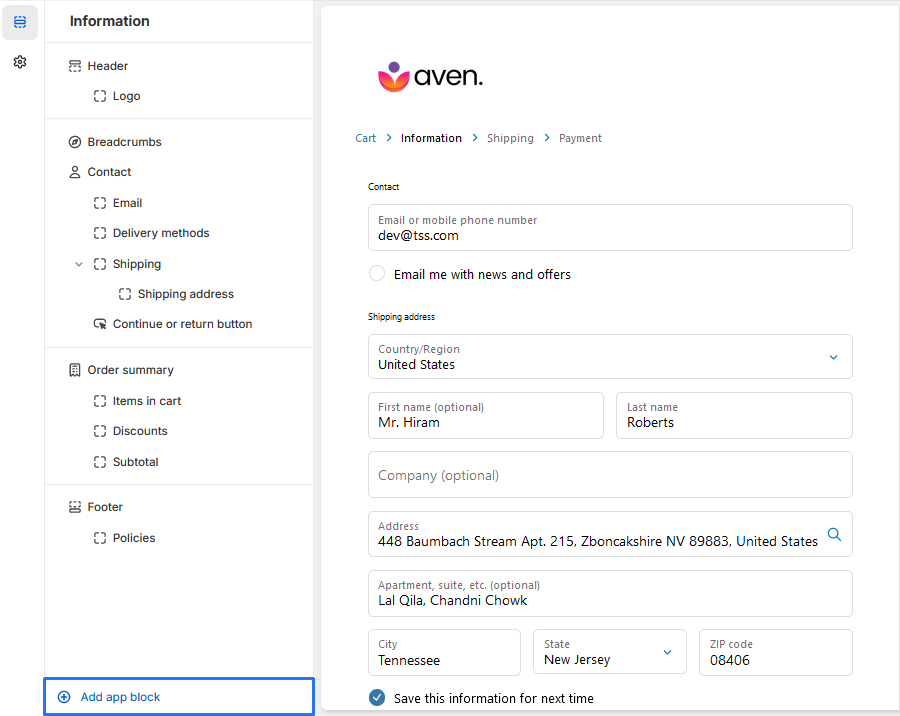
3. To Add Image Block, simply click on the "Add App Block" button to proceed with adding the Image Block.
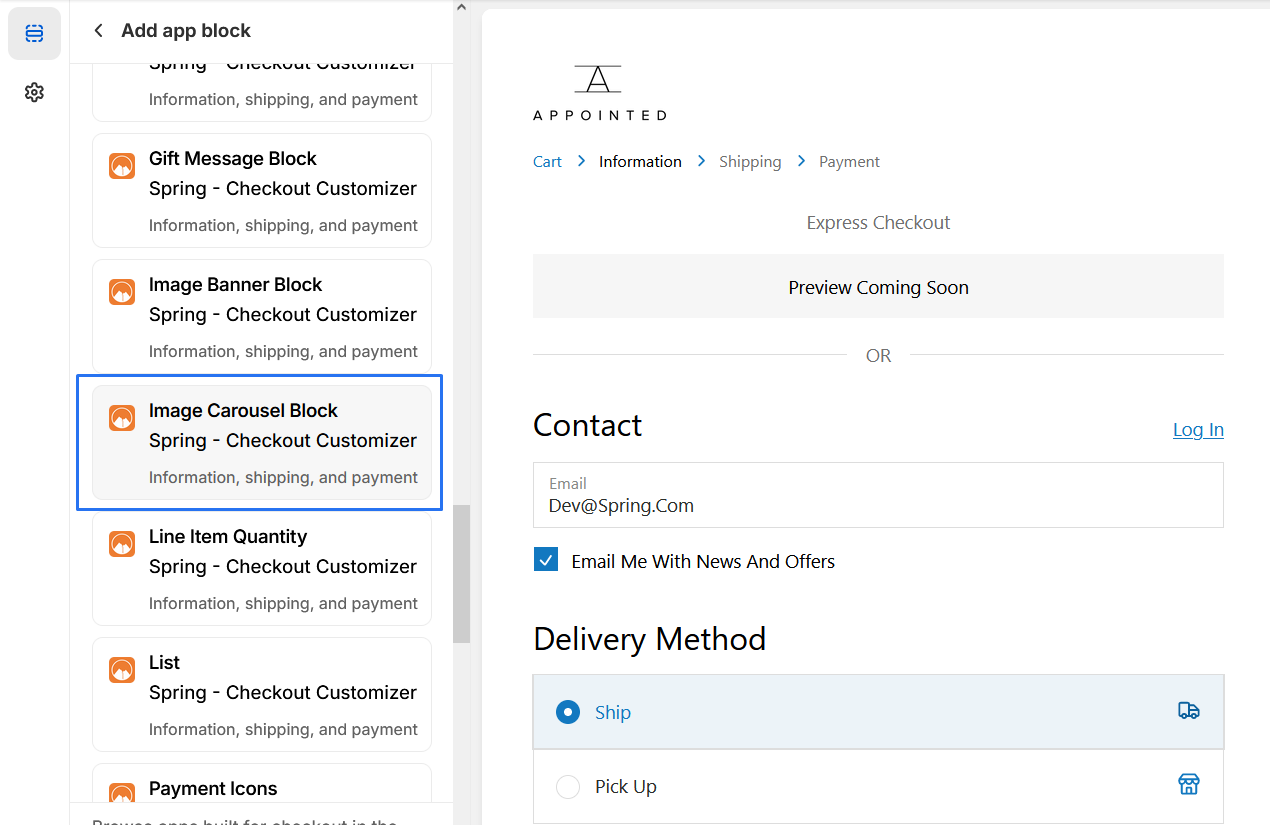
4. From the list of available app blocks, locate and click on "Image Banner Block" to add the extension.
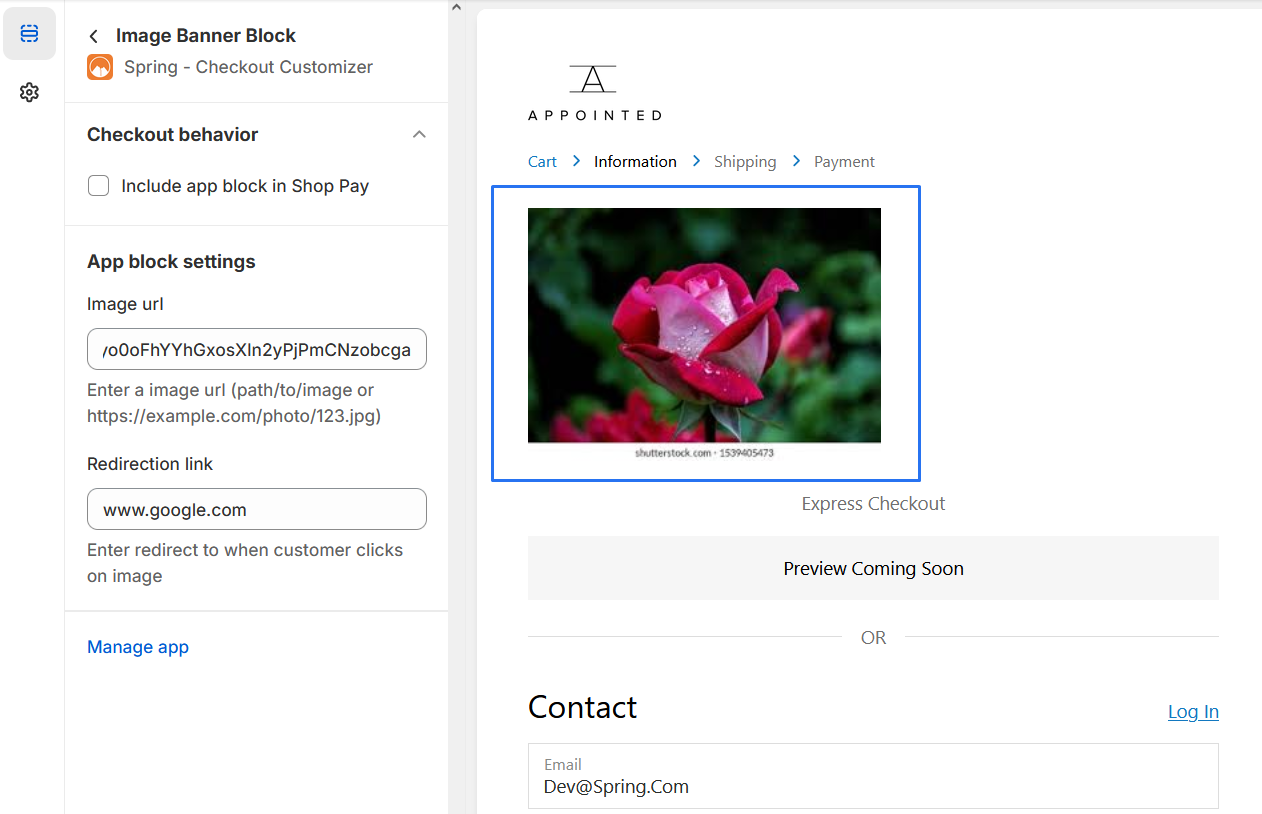
5. Image Banner Block
Add Image URL: Enter the URL of the image you want to display in the block.
Redirection Link: Specify the URL where customers will be directed when they click on the image.
you should be able to "preview" the extension to ensure it appears as desired