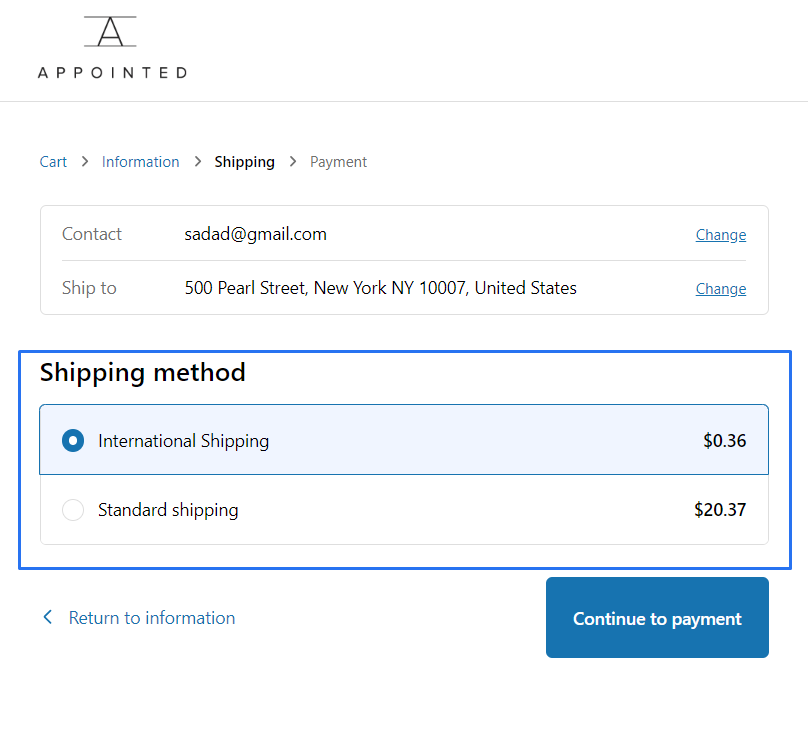
Delivery Customizations
The Delivery Customization to rename, reorder, and sort the delivery options available to buyers during checkout.
1 . Go to shopify Admin Panel
Click on apps => Spring Checkout Customization
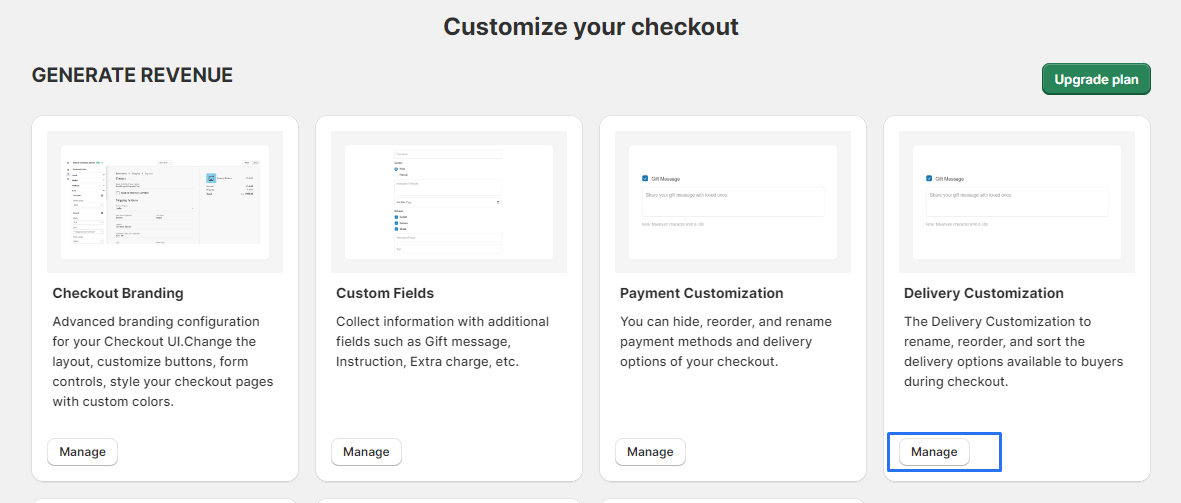
2 . Click on "Delivery Customization"
Click on "Manage" to add or modify delivery method widgets.
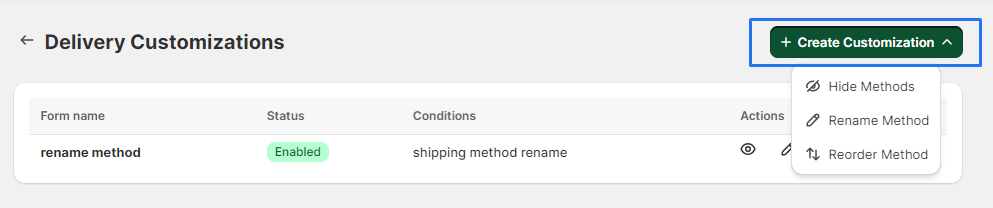
3 . Click on"+ Create Customization" and choose the type of customization for your delivery method "(e.g., Hide, Rename, Reorder)"
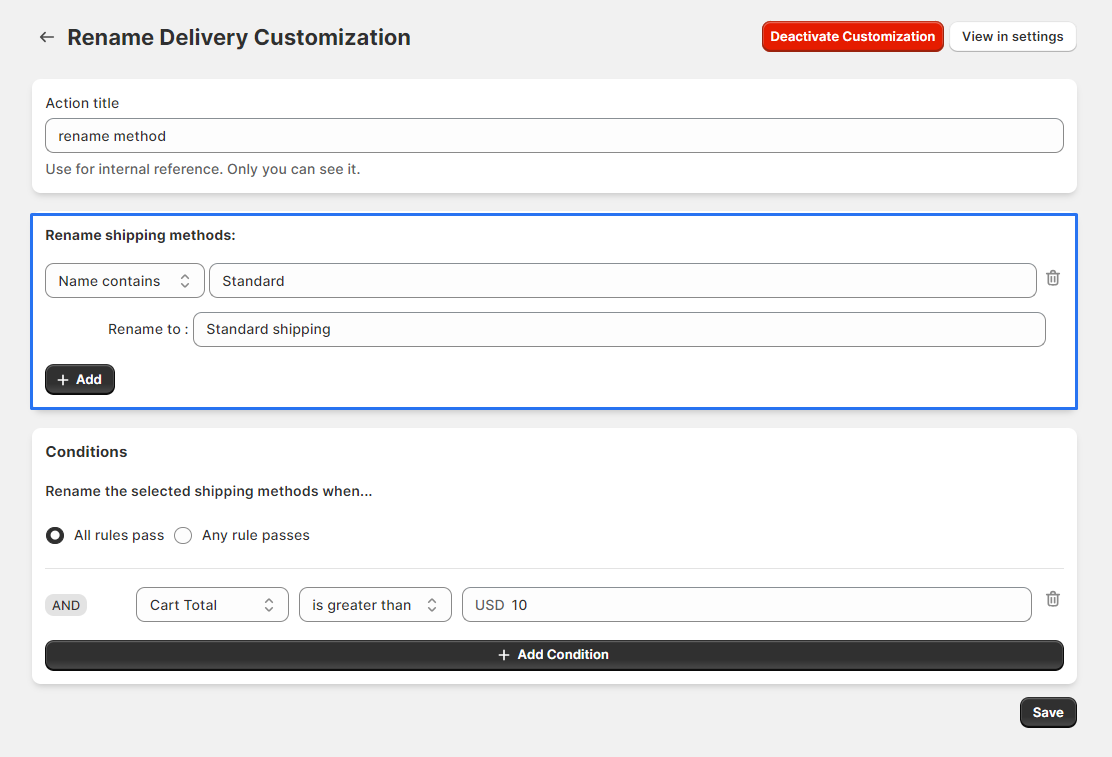
4 . you first need to specify the delivery method you want to hide/rename/reorder.
5 . After selecting the delivery methods, you need to add a "condition" Add conditions specifying when the customizations should apply.
6 . After selecting the delivery methods and setting conditions, click "save" to apply your changes.
7 . Click on the "Edit" button to modify the form.
Locate your customization form in the list. Ensure it is set to "Enabled" before proceeding.
After clicking the "Edit" button, you will be redirected to the form builder interface.

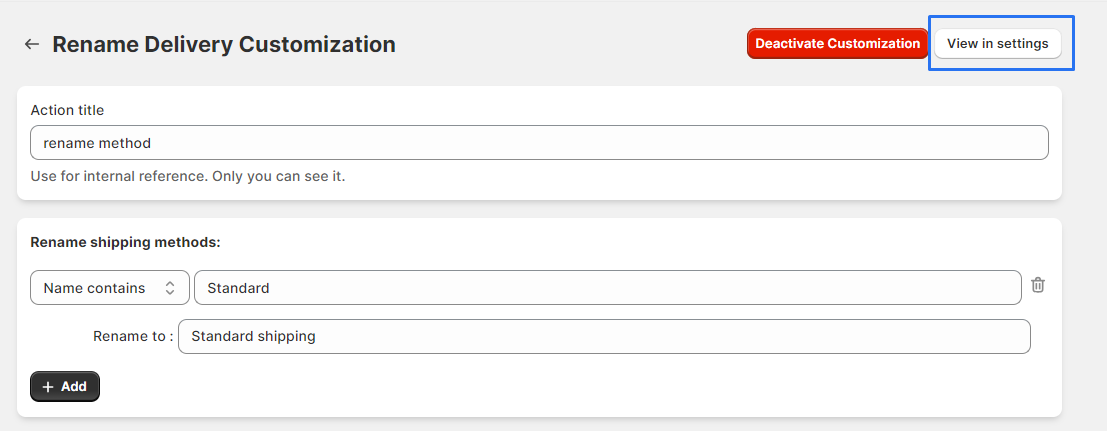
8 . In the form builder interface, click "View In Settings" for further configurations.
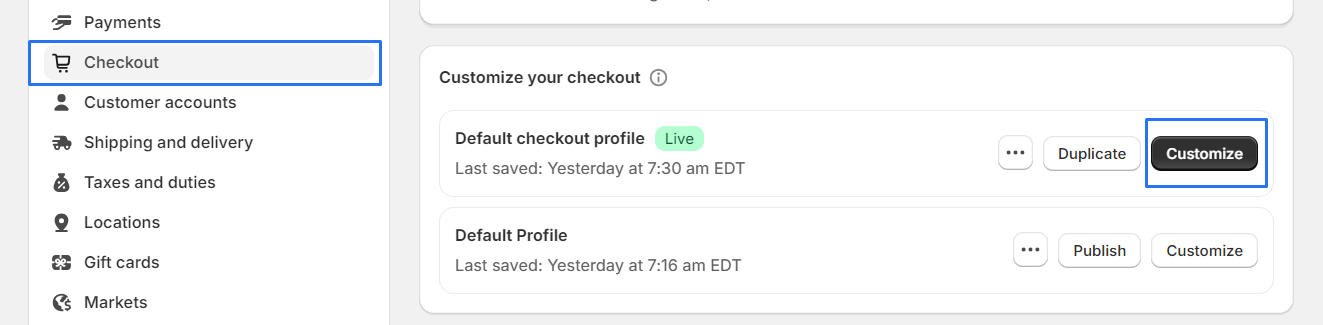
9 . Go to "Checkout" select your profile, and click "Customize" to navigate to the profile settings.
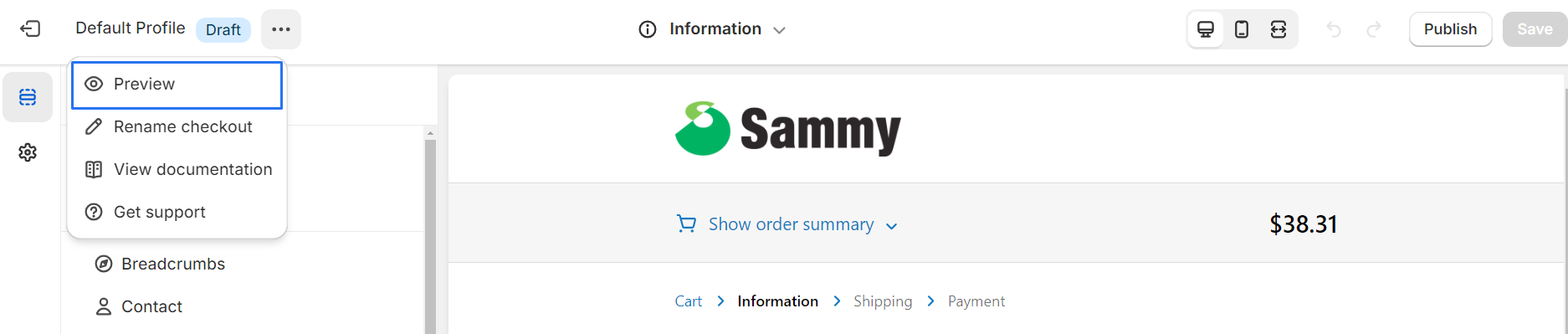
10 . Click on select "Preview" to view how the checkout process will display the customized delivery options.
11 . Check your profile shipping method to "verify" that your "customized shipping methods".