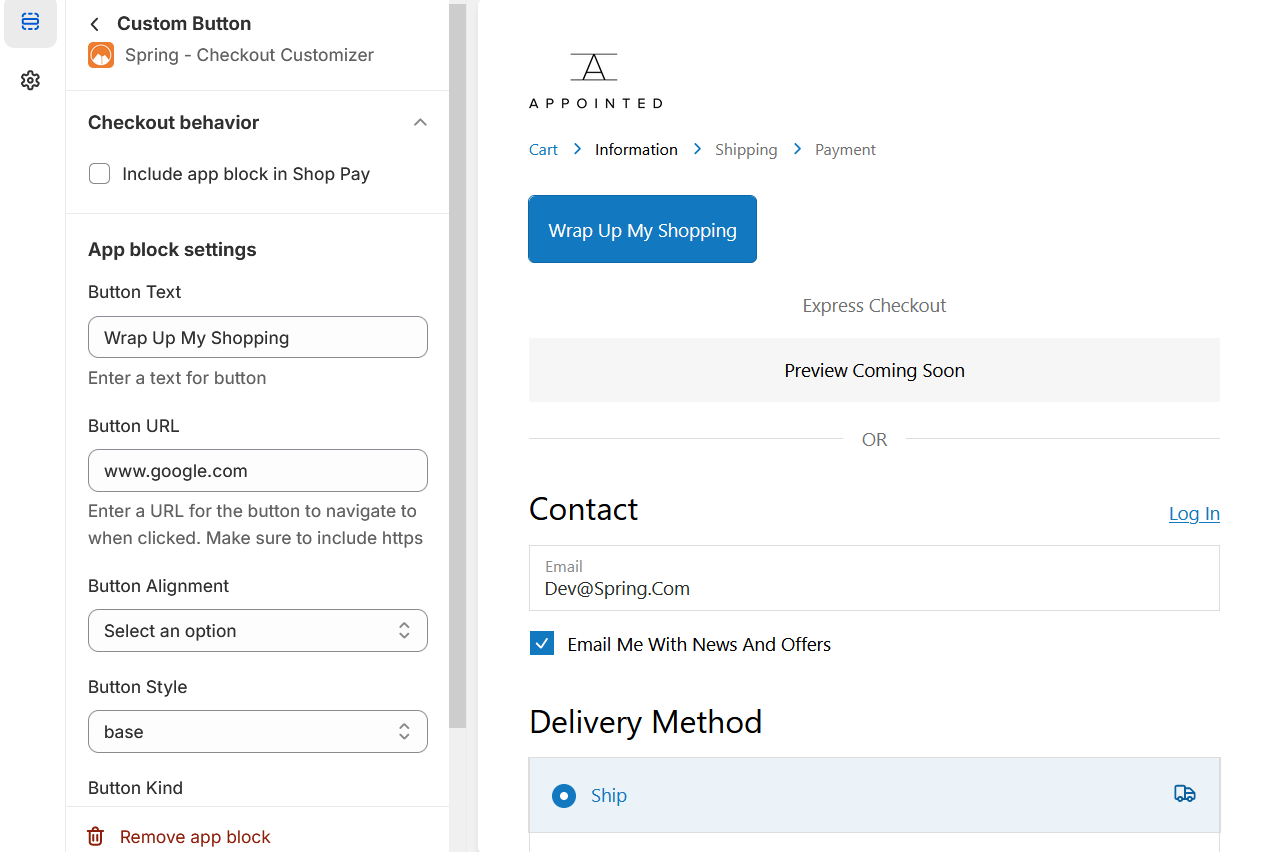
Custom Button Block
Put clickable button to redirect your customers on prefer link.
1. Go to shopify Admin panel
Click on apps => Spring Checkout Customization
2. Click on "Manage" button to add Custom Button Block widget
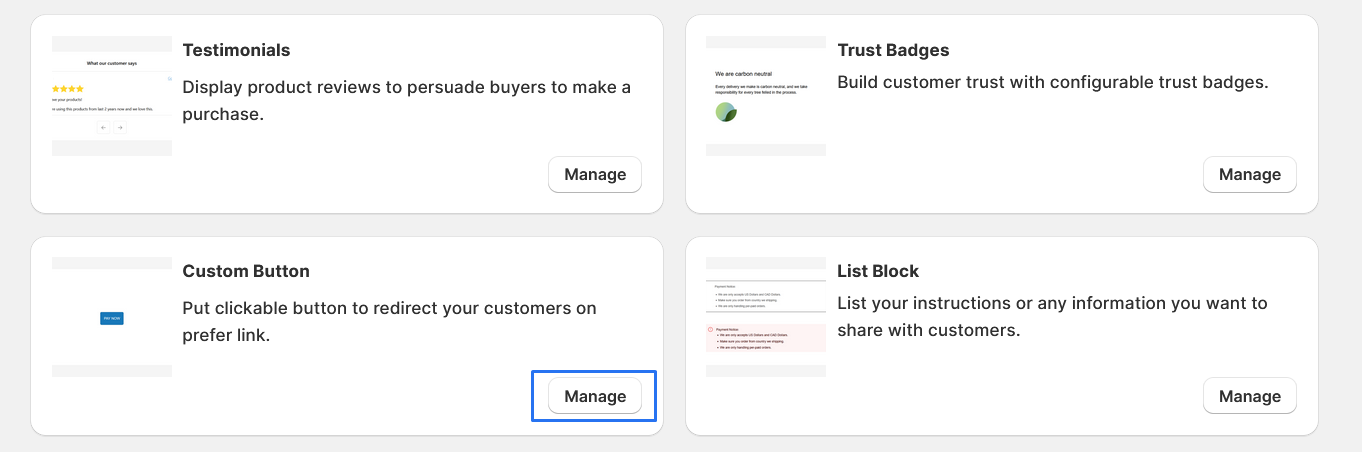
3. To Add Custom Button Block, simply click on the "+ Add App Block" button and follow the furter process
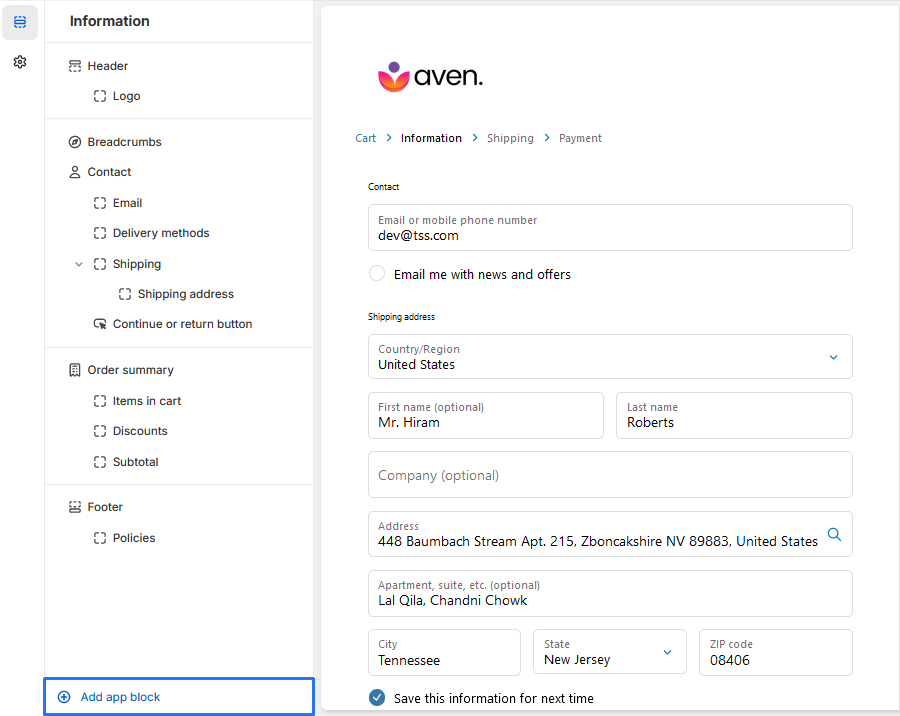
4. Click on "Custom Button Block" from the list to add the Custom Button Block extensions
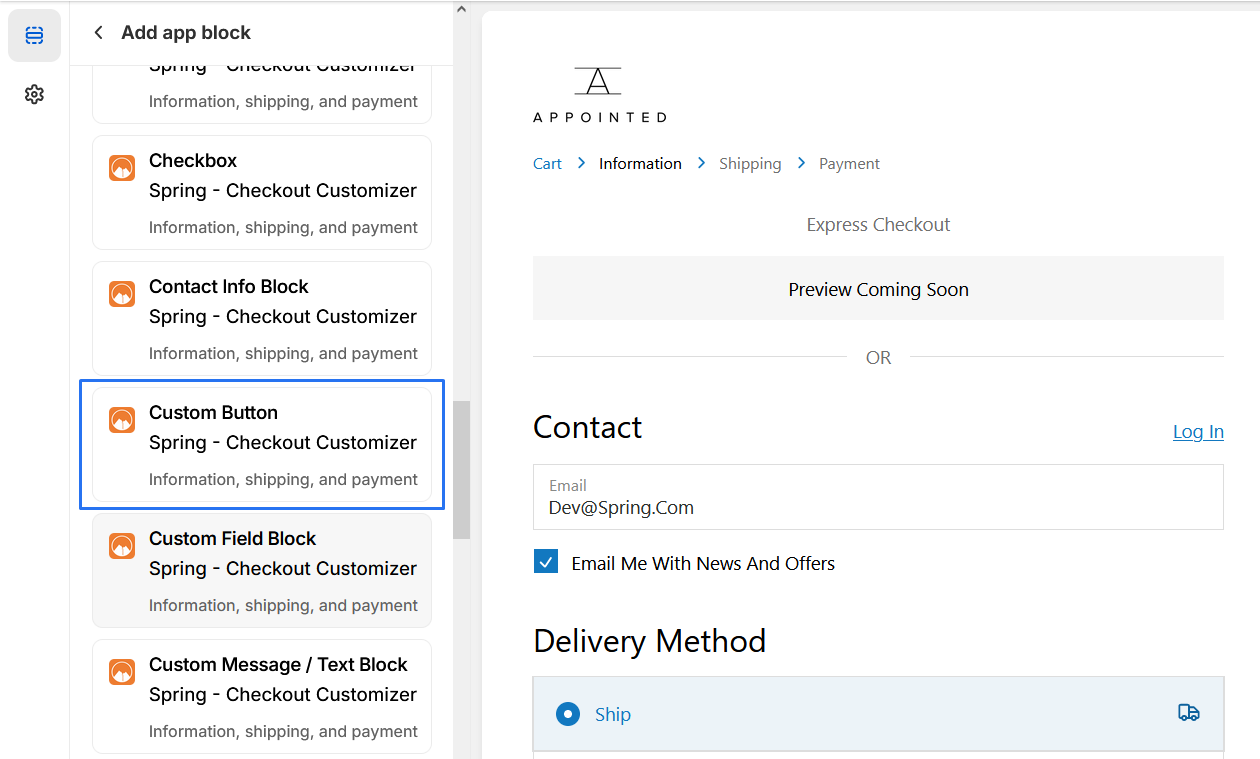
5. Custom Button Block
* We provide bellow settings
1. Button Text: This is the text that will be displayed on the button.
In this case, it is set to "Wrap Up My Shopping"..
2. Button URL: This is the URL that the button will navigate to when
clicked. Make sure to include "https" at the
beginning.
3. This setting determines how the button will be aligned on the page.
You can select an from the settings.
center of the section.
4. Button Style: This setting allows you to choose the style of the
button. You can select an option from the settings.
5. Button Kind: This setting determines the kind of button that will be
displayed. You can select an option from the settings.
6. Block Alignment : we also provide Alignment start,end,center